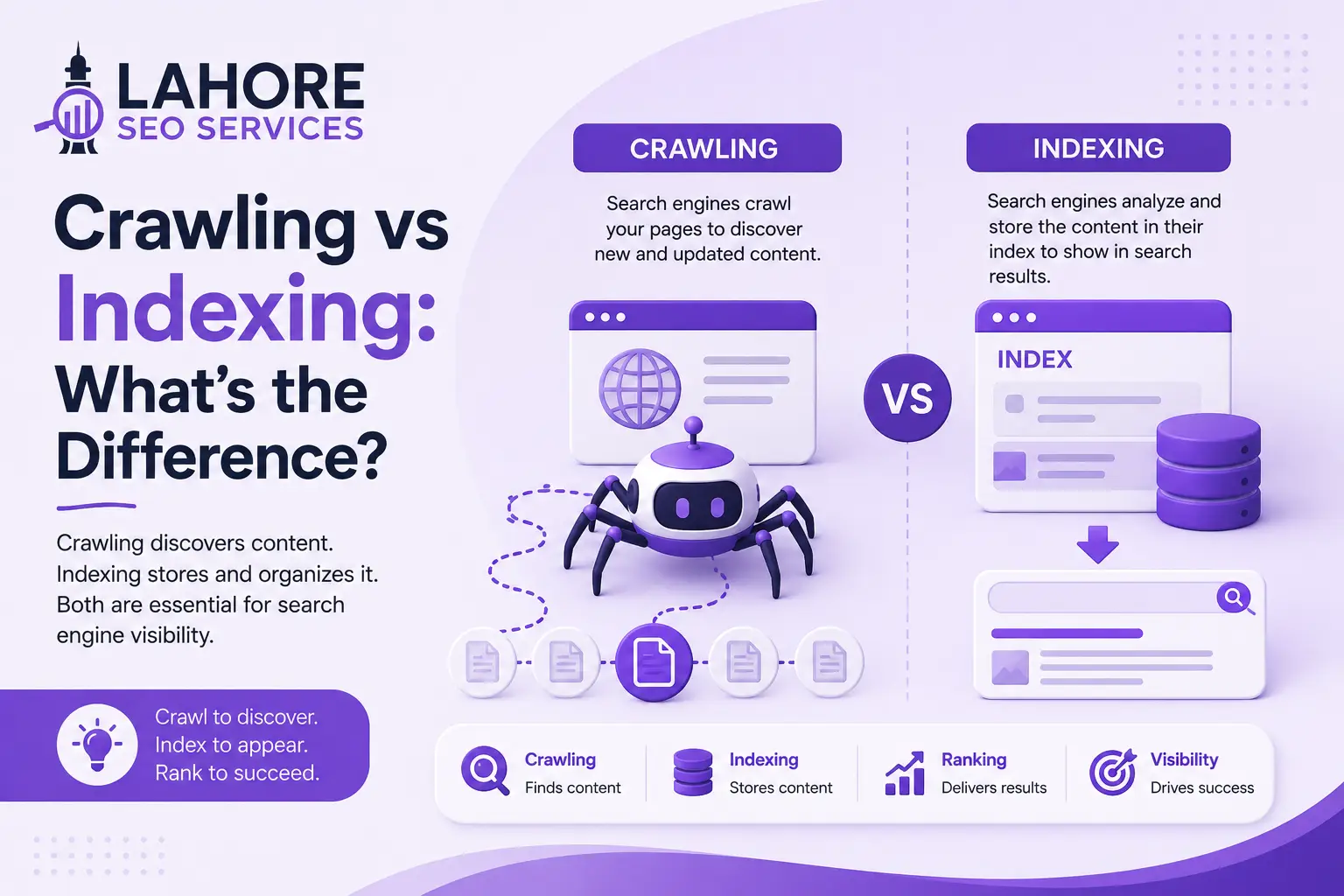

An XML sitemap is a structured file that lists important URLs on your website so search engines can discover those URLs efficiently. The file supports crawling and indexing by providing search engines with a machine-readable list of pages that you want them to know about. An XML sitemap does not guarantee indexing or higher rankings, but a properly maintained sitemap gives Google and other search engines useful information about your website’s URL inventory.
For a business website, ecommerce store, publisher, or large content platform, sitemap configuration is an important part of Technical SEO. At Lahore SEO Services, sitemap analysis forms part of a wider technical process that examines crawlability, internal linking, canonical URLs, indexing, redirects, and website architecture.
What Is an XML Sitemap?
An XML sitemap is an Extensible Markup Language (XML) file that lists URLs that a website owner wants search engines to discover. A sitemap commonly appears at a URL such as https://example.com/sitemap.xml, although many Content Management Systems (CMS) use a sitemap index such as sitemap_index.xml.
An XML sitemap is designed for search engine crawlers rather than human visitors. Each URL can contain structured information such as the page location and last modification date. A sitemap therefore gives search engines a direct source for discovering important URLs without depending entirely on links found during normal crawling.
A sitemap does not instruct Google to index every listed URL. Google evaluates each URL independently and considers factors such as accessibility, canonicalization, content quality, relevance, and other search signals before deciding whether to index and rank a page.
How Does an XML Sitemap Help SEO?
An XML sitemap helps SEO by supporting URL discovery and giving search engines a clearer inventory of important pages. The benefit becomes particularly useful when a website contains new content, large URL collections, complex structures, or pages that are difficult to discover through internal links.
A sitemap can support several technical SEO activities:
- Help search engines discover newly published URLs.
- Identify important URLs that deserve crawling.
- Provide reliable modification information through lastmod.
- Organize extensive URL inventories.
- Support sitemap monitoring in Google Search Console.
- Help expose pages that are not easily discovered through normal navigation.
An XML sitemap works alongside internal linking rather than replacing internal links. Your website still needs logical navigation and contextual links so users and crawlers can reach important pages naturally.
How Do XML Sitemaps Work?
XML sitemaps work by exposing a structured list of URLs that search engine crawlers can retrieve and process. Search engines can discover a sitemap through Google Search Console, robots.txt, or other established discovery mechanisms.
A standard sitemap uses a <urlset> root element and contains individual <url> entries. Each entry normally contains a <loc> element with the absolute URL. A <lastmod> element can identify when the associated page was materially modified.
A basic entry can look like this:
<url>
<loc>https://example.com/services/seo/</loc>
<lastmod>2026-09-20</lastmod>
</url>
The lastmod value should reflect a genuine significant modification. Do not change the date simply to make an unchanged page appear fresh. Accurate sitemap information gives search engines a more reliable technical signal.
What Is the Difference Between XML and HTML Sitemaps?
An XML sitemap serves search engine systems, while an HTML sitemap serves website visitors. Both formats can support discoverability, but each format has a different purpose.
An XML sitemap is a machine-readable file that lists URLs for search engine discovery. An HTML sitemap is a normal web page containing links that users can follow.
An HTML sitemap can help visitors navigate large websites and can provide additional internal links. An XML sitemap is more directly associated with technical URL discovery and becomes especially useful for large, new, or frequently updated websites.
A website can use both formats when both provide practical value. An HTML sitemap should not replace an XML sitemap where technical sitemap functionality is useful.
Which Pages Should Be Included in an XML Sitemap?
Include canonical, indexable URLs that you consider important for search results. A sitemap should represent the pages you want search engines to discover and potentially index, rather than every URL generated by your CMS.
Common sitemap candidates include:
- Home pages and important service pages.
- Product and category pages.
- Valuable location pages.
- Published articles and guides.
- Important landing pages.
- Other indexable content with genuine search value.
Exclude URLs that return errors, redirect elsewhere, duplicate another URL, or carry a noindex directive. A focused sitemap gives search engines a cleaner representation of your preferred URL set.
Which Pages Should Not Be Included?
Exclude non-canonical, inaccessible, redirected, duplicate, and intentionally non-indexable URLs from an XML sitemap. A sitemap should not become a complete list of every URL that a website can generate.
Typical exclusions include internal search results, thin tag archives, duplicate parameter URLs, deleted pages, redirected URLs, and pages marked noindex.
A common technical error occurs when a sitemap lists URLs that redirect to another destination. Another error occurs when a website changes its preferred URL but leaves the previous URL in the sitemap. Review sitemap URLs after migrations, redesigns, URL changes, and major CMS updates.
What Are the Main Types of XML Sitemaps?
The main sitemap types are standard, image, video, and news sitemaps, while sitemap index files organize multiple sitemap files. Your website needs the sitemap configuration that matches its content and technical structure.
A standard XML sitemap lists normal web page URLs. An image sitemap provides additional information for relevant image discovery. A video sitemap can provide metadata about video content. A news sitemap serves eligible news publishers with specialized requirements.
A sitemap index is an XML document that references other sitemap files. Large websites can use sitemap indexes to organize separate files for products, articles, categories, images, or other site sections.
How Large Can an XML Sitemap Be?
A single XML sitemap can contain up to 50,000 URLs or 50 megabytes of uncompressed data, so larger URL inventories require multiple sitemap files. A sitemap index can reference the separate files.
Large ecommerce websites may create separate sitemaps for products, categories, articles, and other content. Logical separation can make technical monitoring easier because each file represents a specific section of the website.
A website with more than 50,000 URLs should not place all URLs into one file. Split the URL inventory and reference the individual files from a sitemap index.
How Do You Create an XML Sitemap?
You can create an XML sitemap through your CMS, an SEO plugin, a sitemap generator, or custom software. Automatic generation is usually the most practical option for websites whose URL inventory changes regularly.
WordPress websites commonly generate XML sitemaps through native functionality or SEO plugins such as Yoast SEO, Rank Math, and All in One SEO. Many ecommerce platforms provide automatic sitemap generation as part of the platform.
Before publishing a sitemap, verify that the sitemap contains correct HTTPS URLs, excludes non-indexable destinations, uses valid XML syntax, and updates when important content changes.
Manual sitemap creation can work for small static websites, but manual files require maintenance after every relevant URL addition, deletion, or migration.
How Do You Submit an XML Sitemap to Google?
Submit an XML sitemap through Google Search Console after confirming that the sitemap is publicly accessible and technically valid. Search Console provides a Sitemaps report where website owners can submit sitemap URLs and monitor processing information.
Open the verified website property in Google Search Console, select the Sitemaps section, enter the sitemap path, and submit the file. A sitemap index can be submitted when the index references individual sitemap files.
You can reference the sitemap in robots.txt with a line such as:
Sitemap: https://example.com/sitemap.xml
Search Console submission and robots.txt discovery are complementary methods. Neither method guarantees that Google will index every submitted URL.
How Should You Check an XML Sitemap?
Check an XML sitemap by validating the file, reviewing URL status codes, confirming canonical consistency, and monitoring Search Console reports. A sitemap audit should establish whether the sitemap accurately represents the website’s preferred indexable URLs.
Confirm that the sitemap returns a successful HTTP response, uses valid XML, contains absolute URLs, and references accessible pages. Crawl the listed URLs and check for redirects, errors, duplicate destinations, canonical conflicts, and noindex directives.
Compare sitemap URLs with your actual indexable pages. A major mismatch can reveal orphan content, accidental exclusions, duplicate URL patterns, or poor sitemap automation.
How Often Should an XML Sitemap Be Updated?
An XML sitemap should update whenever important indexable URLs are added, removed, or materially changed. Dynamic sitemap generation handles this requirement automatically for most modern CMS platforms.
The lastmod value should change when the associated page receives a meaningful modification. Artificially changing lastmod on unchanged pages provides unreliable information.
For static websites, review the sitemap whenever content or URLs change. For dynamic websites, test automatic sitemap generation after publishing workflow changes, CMS updates, migrations, plugin changes, and major website restructuring.
What Are Common XML Sitemap Mistakes?
The most common sitemap mistakes involve invalid URLs, outdated entries, non-indexable pages, incorrect canonical versions, and poor maintenance. These problems reduce the reliability of the sitemap as a discovery and monitoring resource.
Common issues include:
- HTTP URLs after an HTTPS migration.
- Redirect URLs instead of final canonical URLs.
- Deleted URLs that remain listed.
- noindex pages inside the sitemap.
- Duplicate URLs with different parameters.
- Incorrect or artificially updated lastmod values.
- Broken sitemap index references.
- Sitemaps that fail to update after publication.
- URLs blocked by technical access controls.
A sitemap audit should accompany major redesigns, domain migrations, taxonomy changes, and CMS replacements.
Does an XML Sitemap Improve Rankings Directly?
No, an XML sitemap does not directly guarantee higher search rankings. A sitemap supports discovery and crawling, while rankings depend on broader factors such as relevance, content quality, technical accessibility, links, and search intent.
The distinction matters because a website can have a technically perfect sitemap and still fail to rank competitive pages. Google can discover and index websites without sitemaps when internal linking and crawling provide sufficient discovery paths.
Sitemaps therefore support SEO infrastructure rather than functioning as a direct ranking mechanism.
Why Are XML Sitemaps Important for Large Websites?
XML sitemaps are particularly useful for large websites because extensive URL inventories create more opportunities for discovery gaps, duplicate URLs, and crawl-management problems. Ecommerce stores, publishers, directories, marketplaces, and large service websites can benefit from organized sitemap files.
Large websites can separate sitemap files by content type or site section. Segmentation can make technical auditing easier because teams can compare submitted URLs with indexed URLs for specific sections.
Large websites should not use sitemaps as a replacement for strong internal linking. Important pages still need clear navigation and relevant contextual connections.
How Do XML Sitemaps Support Technical SEO?
XML sitemaps support Technical SEO by giving search engines a controlled list of URLs that your website considers important. Sitemap analysis should work alongside other SEO fundamentals such as crawlability, internal linking, indexing, canonicalization, and site architecture. .
For example, a sitemap can contain canonical service and article URLs while a separate crawl reveals redirected, duplicate, or blocked URLs elsewhere on the website. The comparison can expose structural problems that require correction.
At Lahore SEO Services, sitemap analysis can form part of a technical SEO audit that reviews crawlability, indexing, canonical tags, internal links, redirects, robots.txt, and site architecture.
XML Sitemap Best Practices
Follow a focused sitemap policy: include important canonical URLs, maintain accurate metadata, automate updates, and monitor processing errors. Use the following practices during routine SEO maintenance:
- Use absolute HTTPS URLs.
- Include canonical indexable pages.
- Keep lastmod values accurate.
- Remove deleted and redirected URLs.
- Exclude intentional noindex pages.
- Split large URL inventories into multiple files.
- Submit the sitemap through Google Search Console.
- Reference the sitemap in robots.txt.
- Monitor sitemap processing information.
- Recheck sitemap generation after major technical changes.
A clean sitemap gives search engines reliable discovery information while making technical reporting easier to interpret.
Final Thoughts
An XML sitemap is a structured URL file that helps search engines discover important website content. The sitemap supports crawling and indexing but does not guarantee that Google will index every submitted URL or improve rankings directly.
The strongest implementation combines a focused sitemap with logical internal linking, accessible pages, accurate canonical tags, useful content, and sound technical architecture. Keep sitemap entries limited to URLs that deserve search engine attention, maintain accurate lastmod information, and monitor the sitemap after significant website changes.
If your website has indexing gaps, thousands of URLs, frequent publishing, or a recent redesign, a sitemap audit can identify technical inconsistencies that affect content discovery. Lahore SEO Services can incorporate sitemap analysis into a wider Technical SEO review to help you maintain a cleaner and more controllable search architecture.
Frequently Asked Questions
Why is an XML sitemap important for search engines?
An XML sitemap is important because it provides search engines with a structured list of important URLs, which supports URL discovery and crawling. A sitemap is particularly useful for large, new, frequently updated, or poorly internally linked websites.
How do you create an XML sitemap?
Create an XML sitemap through your CMS, SEO plugin, sitemap generator, or custom development process. Include canonical, indexable URLs, use valid XML, maintain accurate lastmod values, and exclude redirected, duplicate, inaccessible, and noindex URLs.
How do you submit an XML sitemap to Google?
Submit an XML sitemap through Google Search Console by opening your verified property, selecting Sitemaps, entering the sitemap path, and submitting the file. You can reference the sitemap in robots.txt as an additional discovery method.
What pages should be included in an XML sitemap?
An XML sitemap should include important canonical, indexable URLs such as service pages, products, categories, articles, and valuable landing pages. Exclude redirected, duplicate, deleted, inaccessible, and intentionally non-indexable URLs from the sitemap.
How often should an XML sitemap be updated?
An XML sitemap should update whenever important indexable URLs are added, removed, or materially changed. Dynamic sitemap systems handle updates automatically, while static websites require manual updates after relevant content or URL changes.